
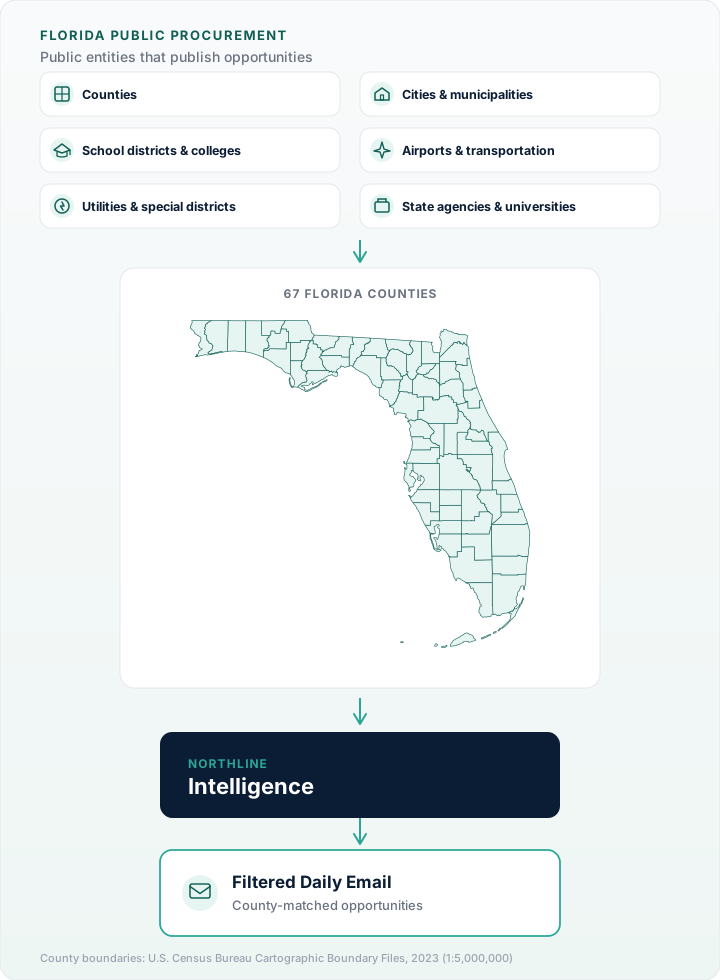
If you pursue public work in Florida, you already know the problem: there is no single statewide construction bid board. Opportunities are published by counties, cities, school districts, authorities, colleges, and state agencies—often on different websites, portals, and registration systems.
That fragmentation is not a personal failing. It is how Florida public procurement is structured. The contractors who consistently find good-fit work are not necessarily checking more websites than everyone else—they are using a repeatable monitoring system that matches how Florida actually publishes solicitations.
This guide explains that system in plain language: which sources matter, how to organize them, what to register for, and how to review opportunities without burning an hour every morning on bookmarks.
Why Florida feels like dozens of websites
Florida has 67 counties and hundreds of municipalities, school districts, and special districts. Each public entity can run its own purchasing process within state law and local policy. A county might publish on its website. A neighboring city might use a third-party portal. A school district might post on a separate bids page. A regional authority might only advertise on its own site.
At the state level, Florida uses centralized systems for many agencies. The Department of Management Services maintains MyFloridaMarketPlace (MFMP) for vendor registration and much state-agency purchasing. That helps for state work—but it does not replace county or municipal sources for the construction opportunities most local contractors pursue.
The practical result: your market geography determines your source list. A contractor focused on Central Florida needs a different monitoring set than one working in South Florida or the Panhandle—even though both are “working in Florida.”
The five source types construction contractors should track
Instead of thinking in terms of “websites,” think in terms of publishers. Most construction solicitations you care about will come from one of these groups:
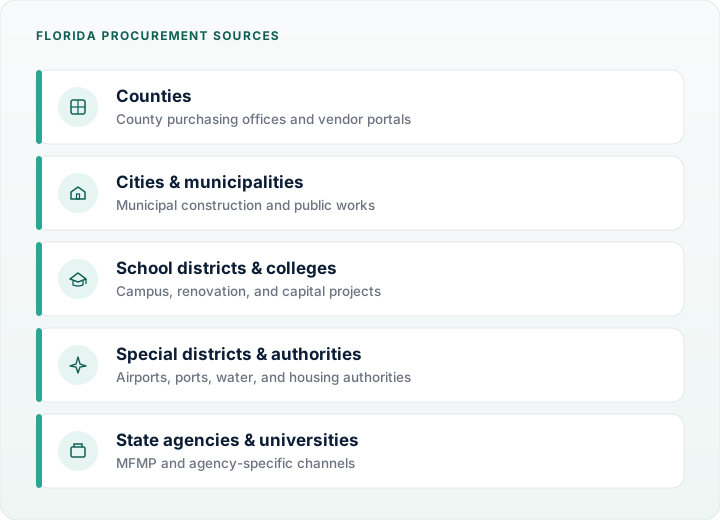
- County governments — roads, facilities, parks, utilities, and county-wide professional services. Counties often maintain a dedicated purchasing or procurement page. Some use vendor self-service portals (for example, CGI Advantage VSS in certain counties).
- Cities and towns — street work, buildings, water/sewer projects, and municipal construction. City sites are easy to overlook if you only monitor the county.
- School districts and colleges — campuses, renovations, roofing, HVAC, and capital projects. District procurement is separate from county government even when addresses look similar.
- Special districts and authorities — airports, ports, housing authorities, water management districts, and similar entities. These often maintain independent solicitation pages.
- State agencies — Department of Transportation, universities, and other state entities that publish through MFMP or agency-specific channels.
When contractors say they “missed” a job, the opportunity was usually published on a source outside their habitual list—a city portal, a district site, or an authority page they had not added to their routine.
Platforms vs. agency websites
Many Florida agencies do not host bid lists on a simple HTML page. They use procurement platforms such as Bonfire, DemandStar, VendorLink, OpenGov, BidSync/IONWave, or CGI Advantage VSS. The platform name matters because registration, document downloads, and Q&A often happen inside the platform, not on the agency’s main website.
Our companion guide Florida Procurement Platforms Explained walks through what each platform type looks like and how to register. For now, the key point is simple: when you add an agency to your monitoring list, note both the agency name and the platform it uses.
Build a monitoring system—not a bookmark pile
The goal is not to open twenty tabs every morning. The goal is to know, with confidence, that you reviewed the publishers that matter for your trades and territories.
Step 1: Define your territory and trades
Write down the counties and cities where you can realistically perform work. Then list your primary trades (general building, civil/site, electrical, mechanical, plumbing, roofing, paving, etc.). If a source rarely publishes your trade type, deprioritize it until you expand scope.
Step 2: Create a source list with owners
For each publisher, capture:
- Agency name
- Procurement URL (and platform, if applicable)
- Registration link and vendor ID (once registered)
- How often you check it (daily, weekly)
- Who on your team is responsible
Store this in a spreadsheet or in your operations workspace. The format matters less than keeping it current when agencies change portals—which happens.
Step 3: Run the same daily review every business day
Successful teams use a short, fixed routine:
- Scan new solicitations from your source list.
- Tag each as pursue, watch, or skip based on trade fit, bonding capacity, schedule, and location.
- Download documents the same day for anything in pursue or watch.
- Log pre-bid meetings, site visits, and due dates immediately.
Consistency beats intensity. Fifteen focused minutes every morning outperforms a two-hour catch-up session every Friday.
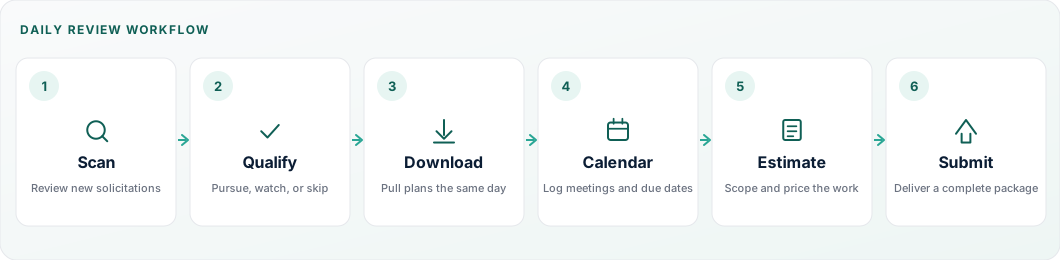
- Scan — Review new solicitations
- Qualify — Pursue, watch, or skip
- Download — Pull plans the same day
- Calendar — Log meetings and due dates
- Estimate — Scope and price the work
- Submit — Deliver a complete package
Step 4: Track addenda on active pursuits
Missing an addendum is one of the most expensive mistakes in public bidding. When you open a pursuit, assign one owner to monitor revisions until submission. See Understanding Bid Addenda for a practical tracking workflow.
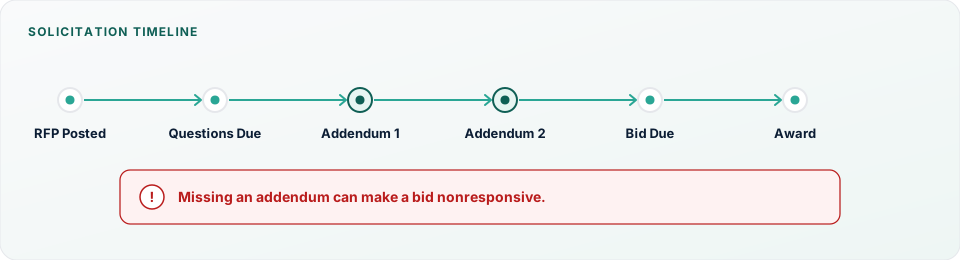
- RFP Posted
- Questions Due
- Addendum 1
- Addendum 2
- Bid Due
- Award
Missing an addendum can make a bid nonresponsive.
Vendor registration: what to complete before you need it
Many Florida agencies allow anyone to view open solicitations, but require vendor registration to download plans, submit questions, or upload bids. Registration is rarely instant—budget time before the first pursuit.
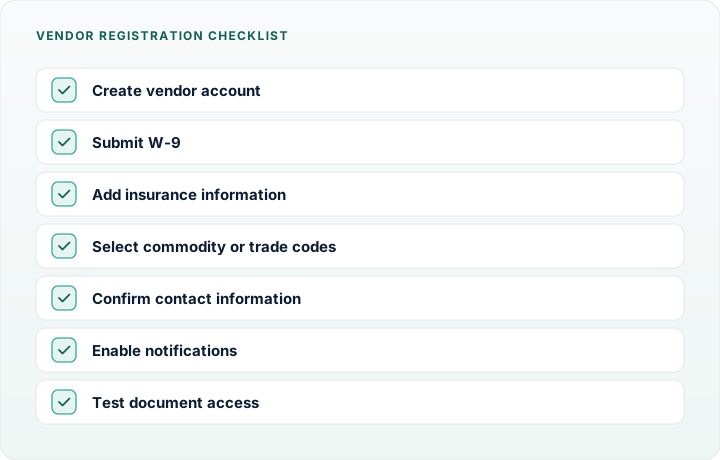
At minimum, prepare:
- Legal business name, FEIN, and contact information
- Florida construction license numbers and expiration dates
- Insurance certificates (general liability, auto, workers’ compensation)
- Bonding letter or capacity statement when applicable
- W-9 and remittance details for purchase orders
For state-level work, complete MFMP vendor registration even if most of your work is local—state maintenance and facility projects can appear without warning.
County guides for high-volume markets
County purchasing offices remain the anchor for much Florida public construction. We are publishing dedicated guides for major markets, including:
Use these as starting points, then extend your list to the cities and districts inside each county where you actually work.
How to qualify opportunities faster
Not every posted solicitation deserves a full estimate. Before you mobilize takeoff staff, check:
- Scope fit — Does the work match your license class and typical project size?
- Schedule — Is the advertised timeline realistic for your current backlog?
- Location — Can you staff the site without stretching supervision?
- Prequalification — Does the solicitation require experience, financial statements, or safety records you can substantiate?
- Subcontracting posture — Are you prime-ready, or is this better as a sub opportunity?
When a solicitation fails one of these gates, mark it skip and move on. The discipline to pass on poor-fit work protects margin on the pursuits you actually chase.
Tools that reduce manual checking
Most contractors begin with bookmarks and spreadsheets—that works at small scale. As your territory grows, manual checking becomes the bottleneck.
Common approaches include:
- Structured source spreadsheet — low cost, high discipline required
- Calendar-driven reviews — assign agencies to weekdays so nothing is skipped
- Delegated monitoring — operations assigns one owner per region
- Curated daily intelligence — a service that aggregates opportunities from many Florida publishers into one email
Northline Intelligence is built for the last approach: a daily email of Florida public procurement opportunities from the counties you select, so your team starts from a consolidated list instead of reconstructing it from scratch each morning. It does not replace reading solicitation documents—but it removes the “where was that posted?” friction that causes missed opportunities.
Frequently asked questions
Is there one official Florida construction bid website?
No. Florida does not operate a single statewide board for all local government construction bids. State agency opportunities are centralized more than local ones, but contractors working counties and cities should plan for multiple sources.
How early should I register as a vendor?
Before your first pursuit. Some portals activate accounts quickly; others require manual approval. Do not wait until plans are due.
Should I monitor cities if I already monitor the county?
Yes—if those cities award construction work independently. Many do. County monitoring alone is a common gap.
What if an agency changes portals?
Update your source list immediately and verify registration transferred or must be recreated. Portal migrations are a frequent source of missed bids.
How does Northline Intelligence fit into this workflow?
Use it as your daily starting list for Florida opportunities in the counties you care about, then run your normal qualification, takeoff, and submission process on the pursuits that match your business. It supports the monitoring system described here—it does not replace document review or estimating.
Start with a cleaner morning list
Northline Intelligence emails curated Florida public procurement opportunities each business day—filtered to the counties you select—so your team spends less time hunting and more time qualifying real pursuits.
Subscribe to Northline Intelligence